
I have a personal warehouse. Rice, spaghetti, sugar, boxes, tools, spare equipment – all of the items one gathers while actually storing them rather than buying on demand. At some point, I grew tired of not knowing what was in there, so I went to the Google Play Store to find some application that could simply keep track of the inventory for me. Basic mobile app inventory management without any enterprise-specific features.
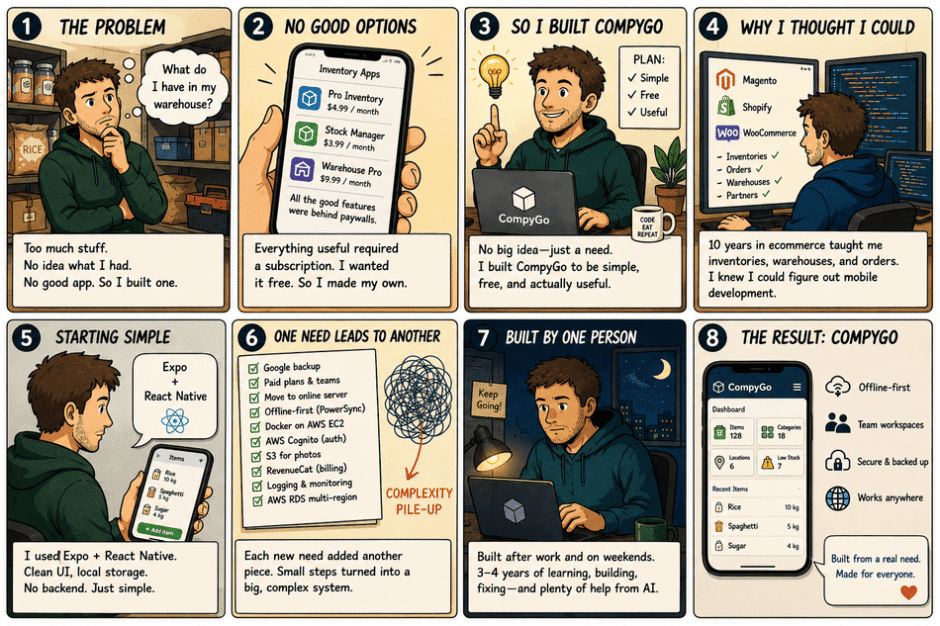
There were no apps that would offer all of the necessary functionality but would not require some sort of subscription to access those features. While I was not ready to pay for something monthly to check my rice and spaghetti inventory, I decided to give myself another task – create an application that would offer me everything I needed in a completely free version, for at least one user.
That’s the dry truth about why CompyGo was made. No big idea, no research. I just needed an app that actually worked, for free, and it didn’t yet exist. So I made it. When it became something that did work, it seemed like the natural next step to give it to others through Google Play, since if I had a problem with it, then surely others did as well.
Why I thought I could pull this off
I am not a newcomer to the software realm either; the last ten years I have been a developer specializing in ecommerce solutions such as Magento, Shopify, and WooCommerce, which has meant that the last ten years of my life were full of working with inventories, orders, purchases, partners, warehouses, and various peculiarities of managing physical assets through a business. I know mobile app inventory management inside out, as I have built, messed up, and fixed many other people’s platforms.
One thing I had never done, however, was mobile development. All my knowledge of the industry was web-related, hence my desire to build something that could help me learn mobile development for once and for all.
I chose Expo and React Native as my entry point. I was already familiar with JavaScript from previous web development experience, and Expo was really kind to me as an individual transitioning from the world of web – it was easier for me than starting off fully native with Kotlin.
How the app actually grew (and where it got out of hand)
I began in autumn 2023, and from how the app developed, you can get a good idea of how challenging it is to develop something alone, with no map at all, especially considering that this wasn’t my only task. In fact, I held a full-time job throughout the whole process. CompyGo was developed concurrently with my regular job, in any time that I had after my daily commitments: in evenings, on weekends, whenever I could manage some time. This is why it took me three to four years, not one year.
Step one was just the interface. Buttons, lists, forms, data saved locally on the device. No backend, no accounts, nothing online. It was, honestly, the easy part — a decent-looking UI with local storage doesn’t punish you for mistakes yet.
Then reality started adding requirements, one at a time, each one forcing the next:
- I realized people would want their data safe if they lost their phone, so I added Google backup.
- Google backup is free, but I realized a real product needs a real business model, which meant paid plans — and paid plans made more sense around a team workspace concept than a single local database.
- Team workspaces meant the data had to live somewhere shared, so I moved to a proper online server.
- I looked at competing apps and noticed almost none of them handled being offline well — you’d lose signal in a warehouse or a restaurant basement and the app would just stop working. I decided offline-first would be my actual advantage, not an afterthought. That’s when I adopted PowerSync for offline-first sync.
- The backend and PowerSync both run as Docker containers, deployed on AWS EC2 — nothing exotic, just a setup I could reason about and manage alone.
- Offline-first with team workspaces needs real auth, so I added AWS Cognito.
- Product photos needed somewhere to live, so S3.
- A real subscription system meant RevenueCat.
- Running in production meant I needed actual logging and monitoring, so I built out production log collection and service health checks.
- And because I wanted this usable by people anywhere in the world, I moved to AWS RDS with multi-region infrastructure.
And you can see from that list that it is, essentially, the backend of a mid-sized business, developed by one person, one necessity at a time. Each of those pieces made perfect sense, on their own, but all combined into a pile of complexity that was hard to keep in my head after a few years of development. Last year, I found myself depending more on AI to enable faster development of features and got quite some help in doing so, but this resulted in more features, more complex app, and me reaching a limit of being able to keep everything consistent — I had added enterprise-grade infrastructure without thinking as an enterprise team would.
And here my experience in ecommerce proved useful. Even though I have not developed a mobile application, I have seen how good architecture looks, so I managed to avoid collapse and to identify the state of things and apply architectural patterns which I knew well enough from building web backend.
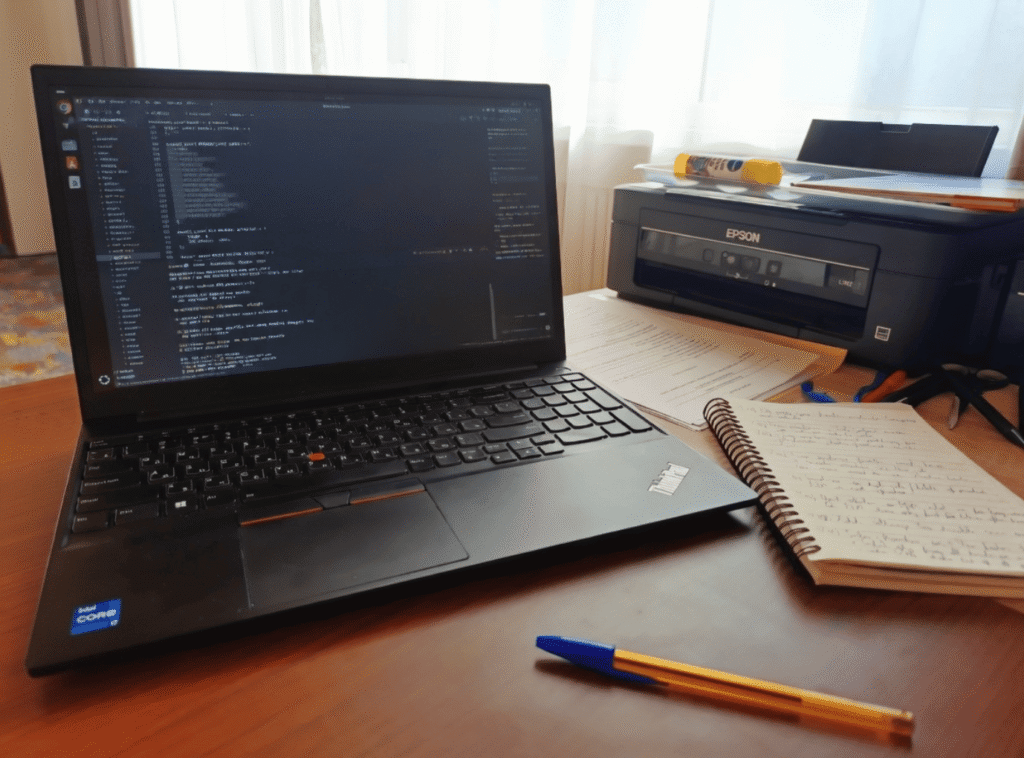
Here’s yet another bottleneck that needs to be mentioned, since it seems to be a humorous point to make but it wasn’t: hardware. For all three years, everything was run on one computer – a Lenovo ThinkPad E15 Gen 2, 16GB of RAM. This is a great computer for normal coding. This isn’t nearly enough when working on an expanding Android app together with a Docker-based backend called PowerSync and other services that need to run locally. I would run out of memory on my Ubuntu installation most days. Not getting stuck in a computer freeze in the middle of debugging something serious isn’t a sexy experience, but it was certainly a common one.
The two mistakes that actually hurt during mobile app inventory management
If I’m honest about what slowed me down, it wasn’t the technical stack. It was process.
I had no design system. For quite some time, I would re-design the UI once every three months. No Figma file, no component library, no system – anything that seemed okay for that moment. It worked great, but in retrospect it wasn’t even close – it was just like decorating things rather than building something solid.
I had no plan at all. For many years in a row, I was creating whatever was in my mind for that day. No strategy, nothing like planning – just go with the flow. It worked well when the application was pretty much simple. But it didn’t work any longer when I thought of adding cloud or team functionality. The feature was simply too connected to everything else. And that was where I actually sat down and started planning.
What I’d tell another solo developer
If you’re building alone and wearing every hat at once, here’s what I’d actually do differently, based on what cost me time:
- Set a rule against redesigning, not just a habit of avoiding it. “I’ll redesign when it’s actually broken” is not a rule — it’s a mood, and moods change every few weeks. Pick something explicit, like “no visual redesigns until the current roadmap milestone ships,” and hold yourself to it the way you’d hold a client to a contract.
- Separate your roles by day, not by mood. If you’re developer, designer, product owner, and marketer in one person, don’t switch between them every hour — you’ll context-switch yourself into exhaustion. Assign specific days (or blocks) to specific hats, so “design day” doesn’t quietly eat into “ship the feature” time.
- Write the plan before the feature touches multiple systems. You can improvise UI and local features safely. The moment a feature crosses into shared data, auth, or sync, improvising gets expensive fast — that’s exactly where I got burned.
- Add infrastructure only when something real forces it, not because it seems impressive. Every piece I added — backups, workspaces, offline sync, auth, logging — was a direct answer to a real requirement, not a resume line. That kept the stack justified, even when it got complex.
- Pick a project you’ll want to use yourself for years, not months. Motivation is the actual bottleneck for solo developers, not skill. A project you’re personally attached to survives the slow, unglamorous middle that kills side projects.
- Expect burnout even on the right project, and don’t treat it as a signal to quit. It’s not proof you picked wrong. It’s proof you’re doing something hard, alone, for a long time.
Why I didn’t quit
Prior to CompyGo, I worked on a project for about three months. I have seldom mentioned it because there is really not much that could be said. Basically, I lost motivation, then interest, then any connection to the project at all emotionally. It was gradual burnout and after a while it did not matter whether the product ever went out or not. This was difficult for me as a developer since it was not an issue of skill but a matter of passion.
For CompyGo, however, I made sure to make up my mind on one particular issue right away – namely, that I would create an application that I myself will be using on a daily basis for many years from now. This is precisely why it is being used by many people even three to four years after its development, as the initial decision made the difference.
It doesn’t mean that everything was perfect and it was easy. There have been days when I couldn’t imagine how soon it would finish because of its complex scope, and, yes, there have been some days when I was just sitting and thinking whether it would ever end. This impression was mainly due to the fact that I played the role of the developer one day, and the next day – the designer, product owner, and, of course, a marketer. Some weeks it seemed that no progress at all happened. It seemed like I was playing with the same set of issues over and over again. Burnout can’t go away if you chose the right project. However, burnout is survivable if you truly love the product that you’re creating, and that’s the difference between this project and the previous one.
Where things stand now
Now CompyGo deals with products, places, units, custom attributes, partners, orders, and purchases with income/expenditure charts and full team workspaces, thus enabling any small store, restaurant, garage, or small production to manage its inventory together, either online or offline. Three to four years have passed since I’ve been working on it while being busy with another full-time job, and it is not published on Google Play yet; the app itself is developed, and testing and quality assurance are left before I launch it to public use in September 2026.
I am not telling you that everything is done, everything is finished, and everything is ready to be launched. On the contrary, I do not want my project to sound like one well-thought-out process, because I believe that the honest one, with a messy middle, is more useful and reliable than one launched after a few years of careful preparations.
If you manage the inventory of your company, and you want to know how this story ends up, I will tell you about the specific decisions made during development and design after testing and quality assurance are completed.